Odoo implementation with clear scope, tested processes and documented sign-off
Odoo projects rarely fail because of the software. They fail when scope is vague, data is dirty and users meet the system for the first time on go-live day. Our implementation method is built to prevent exactly those three problems.
A sound Odoo implementation moves through analysis, design, configuration, data migration, user acceptance testing, training and go-live, with a written artefact closing each step. We run every project through a requirements register, approved scope, formal change requests, UAT records, training logs and customer sign-off, so you always know what was agreed, what changed and what was accepted.
 Odoo
 Python
 PostgreSQL
 Git
 GitHub
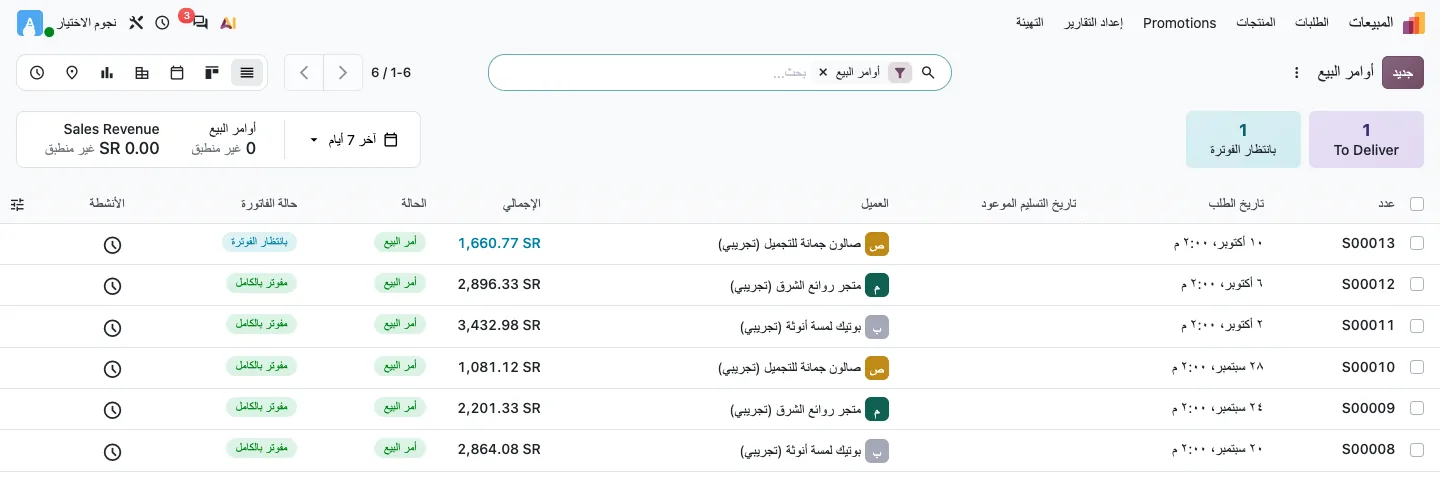
What an implementation actually involves
Installing Odoo takes minutes; implementing it is a business project. Decisions have to be made about your chart of accounts, product categories and costing method, warehouse locations and routes, approval limits, numbering sequences, user roles and which reports management will rely on. Each decision affects the others, and changing them after go-live is expensive.
That is why our consultants lead functional workshops with each department, while a project manager tracks decisions, open points and risks. Technical consultants handle data migration, integrations and any customization that the gap analysis justifies.
Implementation phases
The exact duration of each phase depends on scope; the sequence and the deliverables do not.
Discovery and requirements
Process walkthroughs per department, recorded in a requirements register with priority and owner.
Fit-gap and solution design
Each requirement is mapped to standard Odoo, configuration, a process change or development, then the scope is approved.
Build and configuration
Companies, taxes, journals, warehouses, routes, approvals, access rights and document templates are configured in a test database.
Data migration
Customers, vendors, products, opening stock and balances are loaded through validated templates and test loads.
UAT and training
Key users execute test scripts; issues are tracked to closure; end users are trained by role.
Go-live and sign-off
Cut-over to production, go-live support through the first cycle, and formal customer sign-off.
Deliverables you receive
These documents stay with you and make future support, audits and upgrades easier.
Requirements register
Every requirement with its source, priority, decision and status.
Approved scope and design
What is in, what is out, and how each gap is solved.
Change request log
New needs raised mid-project, each with impact and approval.
UAT records
Test scenarios, results and issues closed before go-live.
Training log and materials
Sessions held, attendees and role-based guides.
Customer sign-off
A formal acceptance that closes the phase.
What we need from your team
Implementation is a joint effort. Projects move faster when these are in place early.
- A project sponsor who can take decisions
- One key user per department with time allocated
- Current chart of accounts and tax registrations
- Clean product, customer and vendor lists
- Samples of current invoices, quotations and reports
- Approval rules and authority limits
- A stock count and trial balance at the cut-over date
Implementing Odoo in Egypt and Saudi Arabia
Local requirements shape the configuration from day one. In Egypt this usually includes the local chart of accounts and tax setup, Arabic documents and, for registered taxpayers, integration with the Egyptian Tax Authority e-invoice and e-receipt systems. In Saudi Arabia, VAT configuration, bilingual tax invoices and ZATCA e-invoicing requirements apply, and the phase that applies to you must be verified with the authority.
We work from Alexandria with remote delivery for most phases and on-site visits for workshops, training and go-live where the plan requires them.
Frequently asked questions
What is the difference between implementation and customization?
Implementation configures standard Odoo features to your processes: settings, data, access rights, templates. Customization changes or extends the software itself with Studio or custom modules. We try to solve gaps with configuration first and customize only where the business value is clear.
How do you handle new requirements during the project?
New requirements are logged as change requests with their impact on effort, timeline and other processes. Nothing is built until the change request is approved, which keeps the agreed scope and budget under control.
Can you take over an implementation started by another partner?
Yes, after an assessment. We review the database, installed and custom modules, data quality and open issues, then propose a recovery plan with clear priorities before committing to a scope.
Do you implement Odoo for companies outside Egypt?
Yes. We serve companies in Saudi Arabia, the UAE and the GCC, mostly through remote delivery with on-site visits planned for key milestones. Country-specific tax and e-invoicing requirements are included in the design phase.
What happens after go-live?
Go-live support covers the first operating cycle, including the first month-end close where agreed. After sign-off you can move to a monthly support plan for issue handling, small enhancements and periodic health checks.
Start your implementation with a clear plan
Request a needs-analysis session to review your processes and receive a phased implementation approach with defined deliverables.