OmniChannel365: every customer conversation in one Odoo inbox, connected to sales
OmniChannel365 is a set of Odoo 19 modules that brings WhatsApp, Facebook Messenger, Instagram and website chat into a single team inbox and connects each conversation to standard Odoo CRM and Sales. It is currently available through early access.
OmniChannel365 lets your team answer customers from one Odoo screen and turn a conversation into a lead, a quotation, a sales order and an invoice without copying data between tools. It adds routing, response-time targets, consent-aware marketing, an AI assistant that requires human approval, and dashboards that follow a conversation through to revenue.
 Odoo
 Python
 PostgreSQL
 WhatsApp
 Meta
What the platform includes
Each capability is a separate Odoo module, so you install what your operation needs.
Unified team inbox
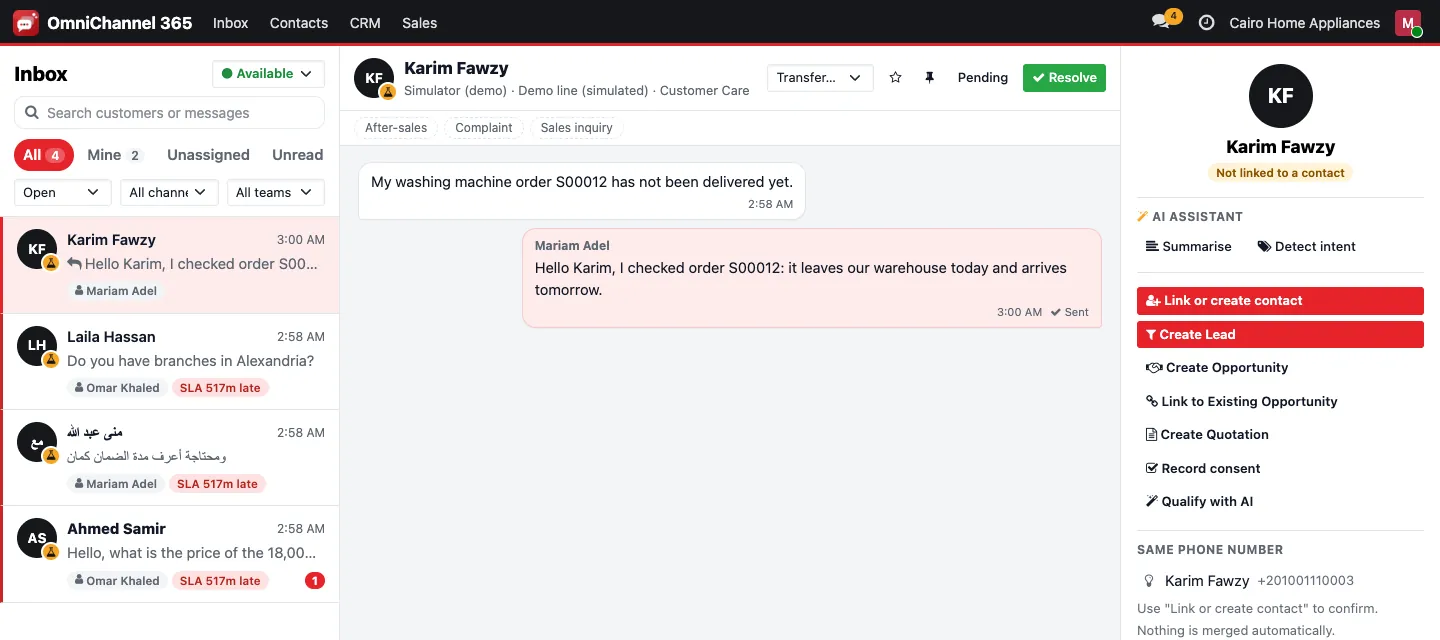
Conversations from every channel in one view, with assignment, transfer between teams, internal notes, tags and saved replies.
Guided channel connection
A step-by-step wizard connects WhatsApp Business Platform, Facebook Pages, Instagram professional accounts and a website chat widget, with health checks per channel.
CRM and sales from the chat
Qualify a conversation into an Odoo lead or opportunity with a duplicate guard, then build a quotation and share it on the same channel.
Marketing Center
Consent records, approved WhatsApp templates, segments, campaigns with a second approver, quiet hours, frequency caps and no-code automation.
AI assistant with human approval
Conversation summaries, reply drafts grounded in your company knowledge, intent tags and an advisory lead score. An agent reviews before anything is sent.
Analytics dashboards
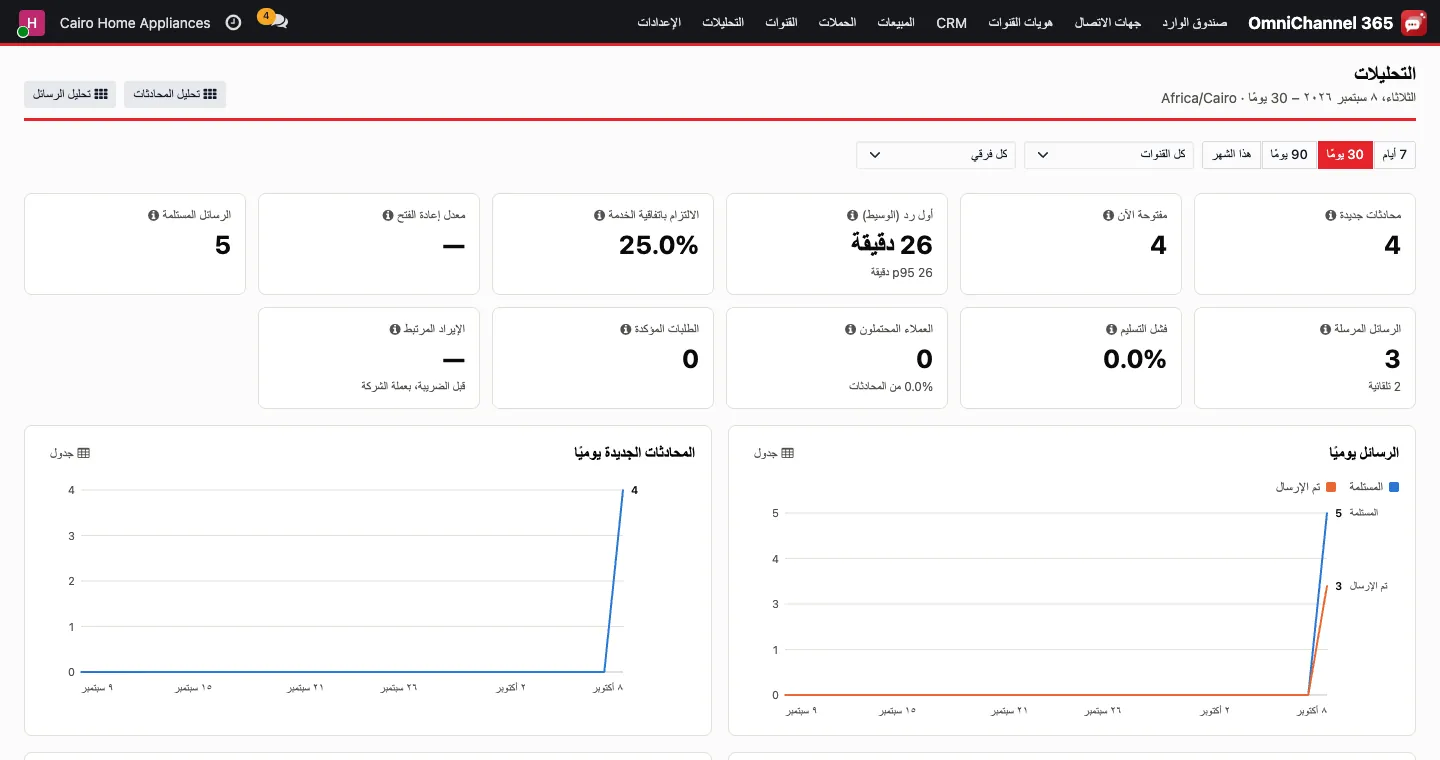
First response times, SLA compliance, volumes, delivery failures and the conversation-to-lead-to-order funnel by channel, team and agent.
From first message to invoice
This is the core workflow the modules implement, using standard Odoo records at every step.
Message arrives
Incoming messages are received through signed webhooks, stored as durable events and queued, so a busy moment does not lose messages.
Customer is identified
The sender's channel identity is matched to an Odoo contact; manual links require a reason and are audited.
Routed to the right team
Routing rules assign the conversation to an inbox team, and SLA policies track response targets.
Qualified in CRM
The agent creates or links a lead or opportunity, keeping the observed source of the conversation.
Quotation shared
A quotation is created from the conversation and sent on the same channel the customer used.
Order and invoice visible
The confirmed sales order and invoice stay visible from the conversation for follow-up.
Roles, access and audit
Access rules are enforced on the server, and every record is scoped to its company.
Agents and supervisors
Agents see their teams and assigned conversations; supervisors also see supervised teams and can reassign.
Channel and company admins
Admins connect channels and manage teams, SLA policies and routing rules for their company.
Marketing and auditor roles
Marketing managers run campaigns and auditors read reports and logs, both without access to message content.
Audit log and credential vault
A hash-chained audit log records sensitive actions, and channel credentials are stored encrypted and readable only by server code.
Optional and Enterprise additions
These pieces are available when your setup needs them.
- Advertising module: read Meta ad campaigns and daily spend and link click-to-message ad conversations to leads and orders
- Ad budget changes, pause and resume only after a second person approves
- Manual spend lines for other ad platforms
- Click-to-chat links with reference codes for attribution
- Odoo Enterprise Marketing Automation steps and triggers for OmniChannel365 messages
- Arabic and English interface with right-to-left support
Early access status and current limits
The unified inbox, routing, SLA tracking, website chat, CRM and sales conversion, marketing center and dashboards are working in our environment. The WhatsApp, Messenger and Instagram connectors are built against Meta's documented APIs, but connecting them live depends on completing Meta's business verification and app review, and on a public HTTPS domain for webhooks. We plan this with each early access customer rather than assume it.
Some items are not part of the current release: email, SMS and Telegram channels, rich WhatsApp templates with media or buttons, and full media handling on Meta channels. The AI assistant needs an AI provider key configured for your deployment. OmniChannel365 runs on Odoo 19 and installs on Community or Enterprise; Enterprise-only bridges install automatically when available.
Frequently asked questions
Does OmniChannel365 replace Odoo CRM?
No. It feeds standard Odoo CRM and Sales. Leads, opportunities, quotations, orders and invoices are normal Odoo records, so your existing pipeline, reports and accounting keep working as before.
Can we connect our WhatsApp number today?
The WhatsApp connector is built on the WhatsApp Business Platform Cloud API, but live connection requires Meta's business verification and app approval. During early access we plan these steps with you; website chat works without any external approval.
Can we use it alongside the Odoo Enterprise WhatsApp app?
Not on the same phone number. A given WhatsApp number should be connected to one or the other, and we agree which number goes where during configuration.
Does the AI assistant send replies on its own?
No. Summaries, drafts and lead scores are suggestions that an agent reviews before sending or acting. Automatic after-hours answers exist only as an opt-in setting with policy and budget controls.
Can several companies share one database?
Yes. Every model is company-scoped, so users of one company cannot see another company's channels, conversations, identities or leads. Stronger separation, such as a database per customer, is part of the hosting design we agree with you.
Request early access to OmniChannel365
Tell us which channels you use and how your team handles conversations today, and we will show you the current scope against your process.